Elevate Your Home Design Process with a Floor Plan Creator
Designing a space that feels both beautiful and functional doesn’t have to be overwhelming. With the right tools and a clear visual strategy, you can approach your home with confidence, creativity, and a strong sense of direction.
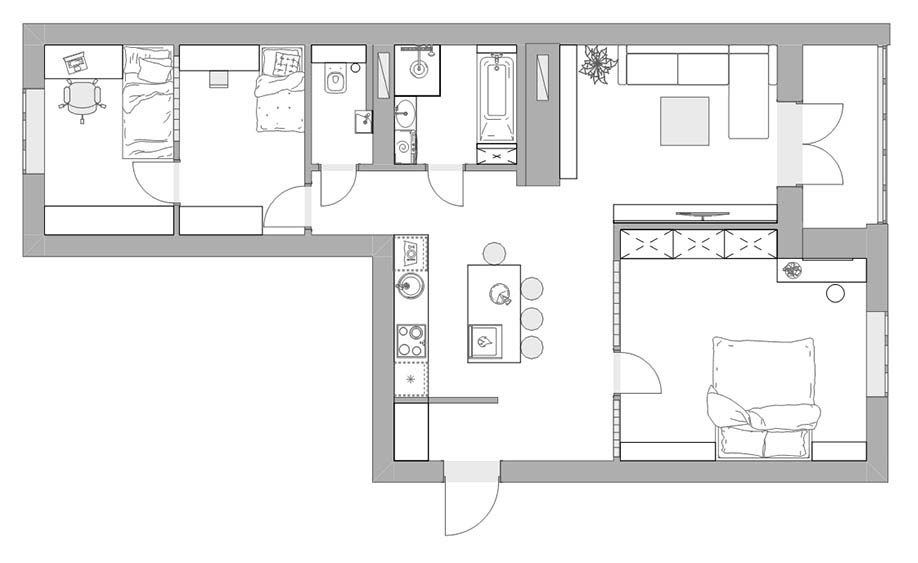
A floor plan creator is one of the most effective digital tools for accomplishing exactly that – helping you see your ideas come to life before making any physical changes.
In this article, we explore how a planning tool enhances the design process, which features matter most, and how you can use it to unlock your home’s full potential.
Why a Floor Plan Creator Makes Designing So Much Easier
Home design involves more than aesthetics – it’s about creating an environment that supports your lifestyle. A floor plan creator simplifies the planning stage by allowing you to experiment with layouts, compare different solutions, and understand how the elements of your room interact.
Instead of guessing whether a sofa will block a walkway or worrying if your dining table will overwhelm the room, you can see everything clearly in a digital plan.
The result:
Most importantly, a floor plan creator gives you a safe space to test ideas before turning them into reality.
Essential Features You Should Look for in a Floor Plan Creator
With so many digital tools available, it helps to know which features truly support a smooth and intuitive planning experience. A good floor plan creator should feel empowering – not complicated.
Prioritise tools that offer:
-
Accurate room measurement inputs
-
Customisable walls for irregular or complex spaces
-
Drag-and-drop furniture elements
-
A décor library for visual inspiration
-
Lighting and window placement tools
-
2D and 3D viewing modes to understand scale
-
Simple editing options for fast refinements
The smoother the interface, the more freely your creativity can flow.
How a Floor Plan Creator Enhances Room-by-Room Thinking
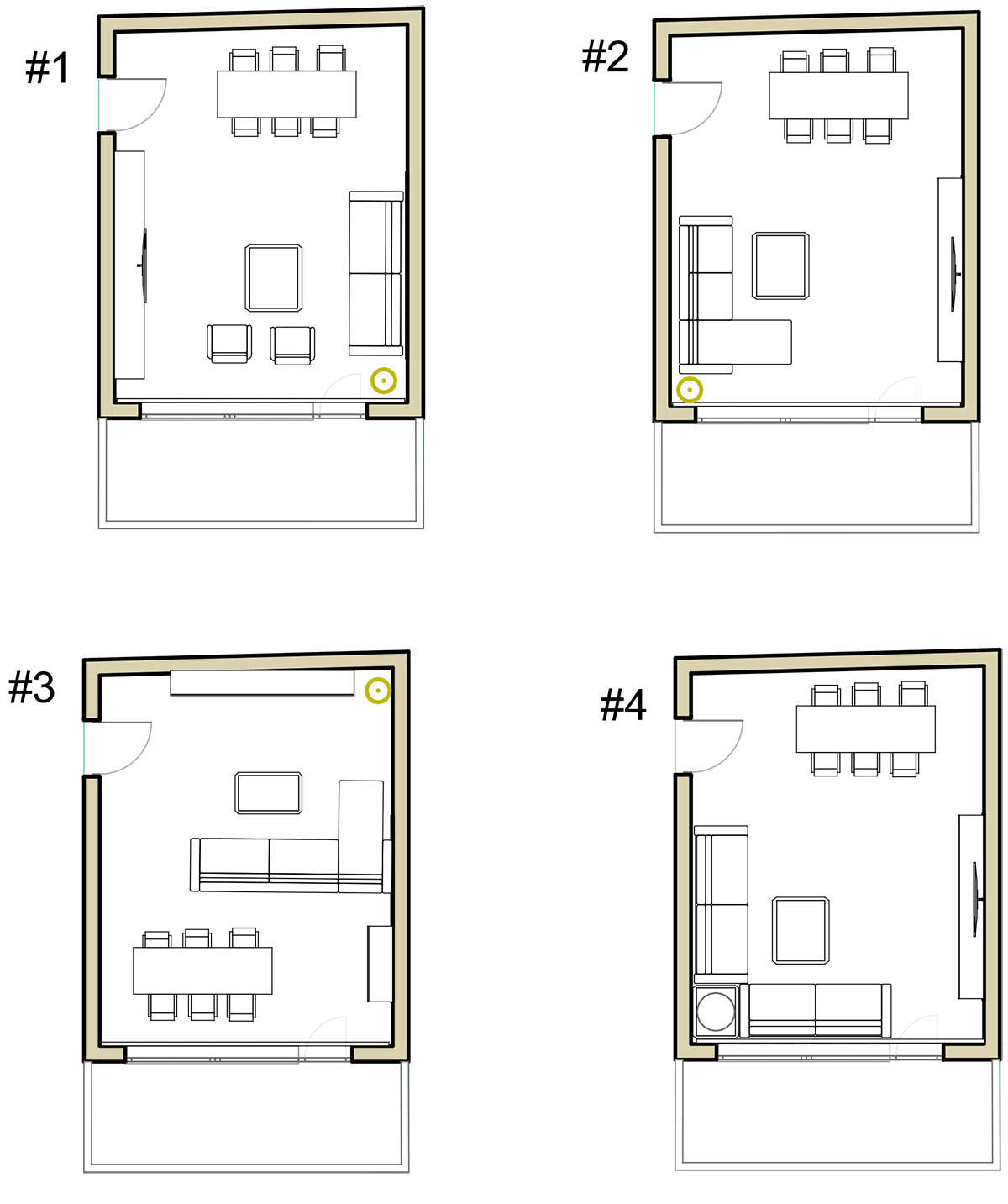
Successful design often comes from approaching each room individually – analysing how it functions, what it lacks, and how it contributes to the home as a whole. A floor plan creator naturally encourages this thoughtful approach.
Living rooms
Test sofa depth, entertainment zones, and conversation layouts. Seeing proportions to scale helps you avoid furniture that’s too large or too small.
Bedrooms
Ensure wardrobes, bedside tables, and circulation space work together in calm, functional harmony.
Kitchens
Plan workflow paths, appliance placement, and island configurations before committing to structural changes.
Multi-use spaces
Design guest rooms that double as offices or studios with multiple zones while maintaining flow and clarity.
Key Insight
Design clarity begins with understanding space.
When you can see a layout from above – and in 3D – you naturally balance visual beauty with everyday comfort.
Practical Ways to Use a Floor Plan Creator to Improve Your Layouts
You don’t need professional training to use a floor plan creator effectively. What matters most is curiosity paired with a simple structure.
Follow these steps:
1. Start with accurate measurements
Include alcoves, angled corners, door swings, and windows.
2. Add architectural elements first
These define constraints and opportunities such as light, movement paths, and focal points.
3. Place anchor furniture
Beds, sofas, dining tables, and large storage pieces shape the entire flow of a room.
4. Review circulation paths
Your space should feel easy to move through. A floor plan creator helps you visualise this clearly.
5. Layer decorative elements
Rugs, lighting, plants, and accents help you imagine the finished space.
6. Compare multiple versions
Often, the best solution is the second or third option you test.
Avoiding Mistakes That Can Disrupt Your Layout
Even with strong tools, certain mistakes can limit a room’s potential. A floor plan creator helps you spot them early.
Common issues to avoid:
Furniture placed too close to walkways
Ignoring door or window clearance
Forgetting vertical design elements
Choosing items only for aesthetics
Overcrowding the layout
Catching these issues digitally prevents real-world frustration.
How Digital Planning Boosts Confidence During Renovations
Renovations involve budgets, timelines, and big decisions. A floor plan creator provides a reliable visual reference throughout the process.
You can:
Communicate clearly with contractors
Share layout ideas with family members
Ensure every change supports your long-term vision
This clarity reduces stress and helps you stay in control of your design journey.
Final Thoughts: Create a Home That Reflects Your Style and Needs
Designing your home should feel joyful – not overwhelming. A floor plan creator turns the early stages of planning into an organised and inspiring experience.
As you explore layouts, test arrangements, and refine flow, confidence grows naturally. Over time, you’ll better understand your personal style and find it easier to shape a home that feels intentional, expressive, and perfectly aligned with your life.
How Interior Designers Turn Empty Spaces into Inspired Living
How Room Planning Shapes a Home That Truly Works